



EA FC 27 Best Settings and Danny Aarons Edition Thumbsticks for Better Control
EA FC 27 is the most hands-on version of the series I have played in a while. The biggest shift is on defense, as Competitive gameplay no longer has AI defenders jumping in to auto-tackle when a dribbler gets close. Your teammates now hold their positions and support the play until you take control and choose the moment to tackle. Manually controlled defenders also have more jockey speed than in FC 26, so the game rewards players who defend with intent instead of relying on the computer to bail them out. With the choice between Competitive and Authentic gameplay, you still control how the game feels, whether you want a faster, sharper pace or a more realistic and methodical approach. Kick Off, Ultimate Team, Manager and Player Career, Clubs, and the new social space called The Grounds all give you a different way to play, and FC 27 Lite is a free way to try Kick Off, Online Friendlies, and Online Seasons if you are still deciding.

Attacking has changed as well, and small inputs matter more this year. Through passes now follow your directional input more strictly, and dinked passes are fully manual, so a late flick of the stick can send the ball to the wrong place. Corners work in two phases, where you pick the delivery and then get a short window to move a runner, switch, or shield. Players with high Balance, Agility, and Dribbling attributes can also ride a bump and keep dribbling through contact on current-gen platforms, which gives skilled dribblers more room to work in tight spaces. Clean contact on headers is more accurate than in FC 26, but it happens less often because it requires more precision. Timing and positioning are what separate good and great players in FC 27, and every input you make counts a little more than it used to.
Key Settings for Accuracy, Precision & Control in EA FC 27
Before you change anything in FC 27, I recommend spending a few minutes in the settings menu, because the right setup makes the new manual mechanics easier to learn. Start with the pace of play in Game Settings. Competitive is built for Ultimate Team and Clubs, and it is the version where the AI defending changes apply, so choose it if you plan to play online. Authentic is the simulation approach for Career and offline play and can be a comfortable place to learn. For your camera, Tele Broadcast is a popular choice because it gives a balanced view of the pitch, which helps when you are reading a through ball or tracking a winger cutting inside. I would also suggest turning off vibration, since less outside noise makes it easier to feel your own timing.

Next, look at your passing and defending settings. Through passes follow your directional input more strictly in FC 27, so a Semi setting for Through Pass Assistance is a reasonable balance between control and safety while you adjust. For defending, Advanced Defending pairs well with the manual approach the game now rewards, and setting Auto Switching to Air Balls and Loose Balls gives you help where you need it while keeping the important decisions in your hands. FC 27 still uses Classic controls, so open the controller screen and confirm your layout instead of assuming your FC 26 muscle memory carries over. Simplified Skill Moves is also available, which performs a context-based skill move when you flick the right stick in one of four directions. It is off by default, so try it in Kick Off before you decide whether it fits your style. Whatever you choose, change one setting at a time so you can tell what helped.

Pro-Level Control with KontrolFreek’s Football Thumbsticks: Danny Aarons Edition
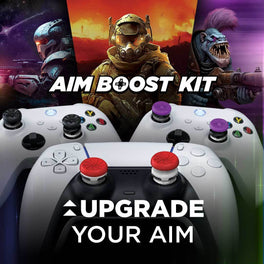
Movement is the foundation of everything in FC 27, and for anyone who wants more control, I highly suggest equipping your controller with KontrolFreek’s Football Thumbsticks: Danny Aarons Edition. They are a pair of mid-rise thumbsticks, and the added height extends the arc distance of your stick, which gives you a more precise field of movement. That matters in FC 27 because of the constant small adjustments you make when jockeying a defender, shaping a dribble, or lining up a manual through ball. They are made with GripTek material designed to keep your thumb from slipping when your hands get sweaty, and the ergonomic profile is built to stay comfortable through long sessions. They install quickly, they fit securely, and they protect worn analog sticks. They come in a blue and pink colorway, and they work on PS5 / PS4 and Xbox Series X|S / One.

With less AI help on defense, your jockey and dribble inputs carry more weight, and this is where a stable, taller stick makes a real difference. Holding a clean angle when a winger cuts inside, changing direction quickly to stay goal side, and making precise flicks for manual through passes all depend on your thumb staying planted and your inputs staying consistent. If you play online or compete, slipping or overcorrecting are the mistakes that cost you the most, so give yourself every advantage to build good habits early. Give them a few sessions in Kick Off before you judge them, since a taller stick takes a little time to get used to compared with your stock sticks. You can find them here: Football Thumbsticks: Danny Aarons Edition.

Stick height is personal, so here are three other KontrolFreek options that suit FC 27 if you prefer a different feel, each compatible with PS5 / PS4 and Xbox Series X|S / One. Precision Sports: Soccer Edition is the low-rise option, with low-rise sticks on both analogs, extra-soft GripTek material, and a new field green color, and it is a good choice if you want a smaller step up from stock. Clutch is also low-rise on both sticks, with a proprietary rubber material for extra grip and comfort, available in white or black. CQC Rush takes a different approach with a concave design and a raised edge, which gives your thumb a ledge if you like to grip the rim and centers it if you prefer full coverage. It is the one to try if you keep your thumb centered or play claw style or with paddles.
Best Drills to Improve Dribbling, Passing & Defending in EA FC 27
Now that your setup is ready, I have a few drills to help you build the skills FC 27 asks for. Do them in Kick Off, The Grounds, or the skill games under Learn to Play, and change only one variable at a time. The first is jockey and contain. Start a 1v1 in The Grounds and play only defense, and do not press tackle until the attacker commits. Your goal is to stay goal side and pick your moment, which trains the new manual defending loop better than anything else. The second is off-balance dribbling. Use a player with strong Balance, Agility, and Dribbling, run into contact on purpose, and see whether you can keep the ball. Pay attention to which players hold on and which do not, because it will help you build a better squad.

The third drill is manual through balls. Play through passes into space using careful directional input, then move on to dinked passes, which are now fully manual. Count how many you complete out of ten and try to beat that number each session. The last is two-phase corners. Take ten corners from each side in Kick Off, pick the delivery, and use the extra window to move a runner or shield. Note which setups produce clean contact, since headers now need more precision. Give each drill a fair number of reps before you judge it, and if your thumb feels loose or uncomfortable during the jockey drill, that is a good sign your stick setup is worth another look. EA has said early title updates will not make major gameplay balance changes, so the habits you build now should hold up all season.